
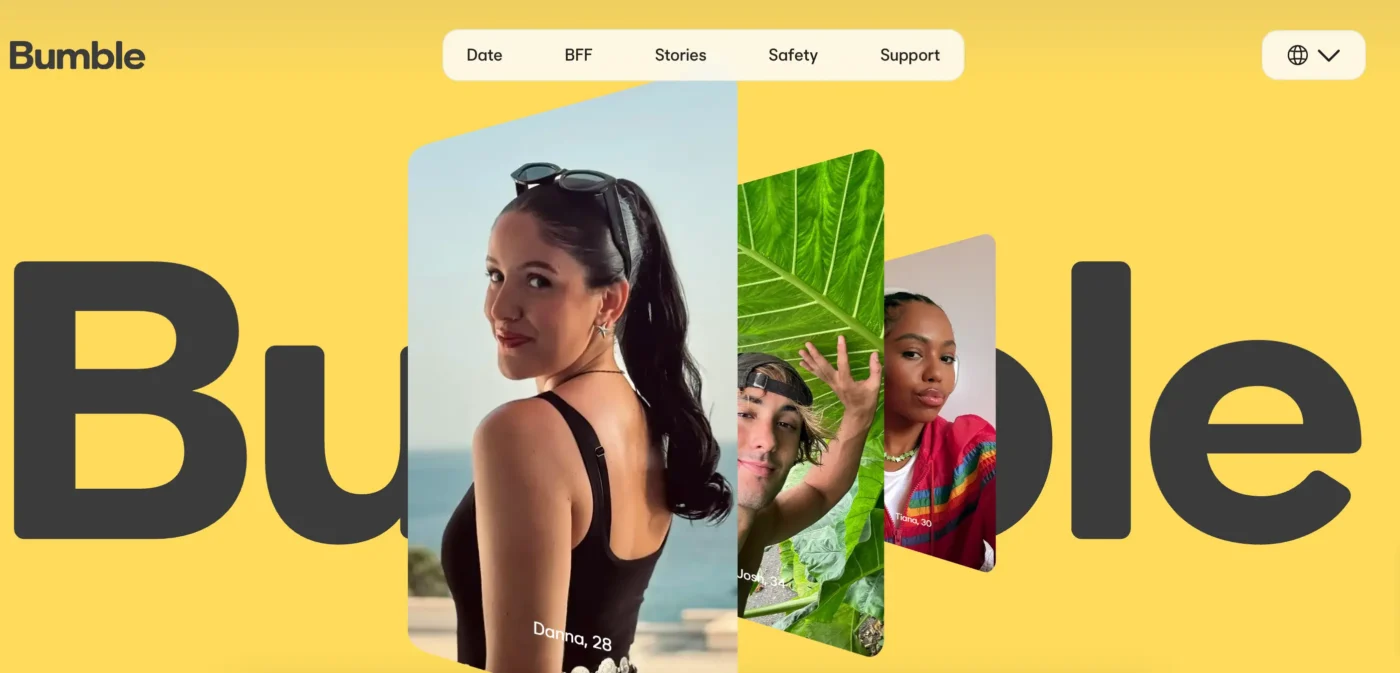
The online dating industry has shifted away from superficial swipe volume toward intentional, privacy-conscious social networking. At the center of this evolution is Bumble, a platform that redefined social discovery dynamics by reengineering traditional dating norms, integrating robust safety tools, and providing multi-modal connections.
Understanding how the platform functions under the hood—from its underlying algorithmic distribution to its paid subscription tiers and location-handling mechanics—is essential for any user looking to navigate modern digital dating effectively. This comprehensive guide covers every practical, technical, and strategic dimension of the platform.
The story behind Bumble: concept, values, and key modes
Launched in late 2014 by Whitney Wolfe Herd, Bumble was conceived as a female-centric counterweight to prevailing dating apps characterized by unsolicited outreach, aggressive cold messaging, and persistent digital harassment. By modifying the fundamental protocol of who could initiate contact in heterosexual matches, the service established a standard centered around accountability, civility, and mutual interest.
Over the years, the brand transitioned from a single-purpose dating utility into a broader ecosystem for interpersonal relationships, dividing its platform into three discrete user modes that operate under a unified account structure.
Bumble Date
Bumble Date represents the primary engine of the platform, dedicated to romantic connections, casual dating, monogamous relationships, and marriage. Inside Date mode, users filter candidates through an extensive array of personal, lifestyle, and intentionality parameters. The interface utilizes classic swipe ergonomics (swiping right to express interest, swiping left to pass), backed by a proprietary matching and communication framework designed to prevent dormant matches and inbox clutter.
Bumble BFF
Recognizing that adult life stages often fracture existing social circles through geographic relocation, career shifts, or lifestyle transitions, the platform introduced Bumble BFF. This mode operates under a separate user profile focused on platonic companionship.
In BFF mode, romantic matchmaking mechanisms are turned off, and users connect with members of their local community for shared activities, fitness partnerships, hobby groups, and genuine friendship. The underlying profiles allow users to highlight specific platonic interests, social habits, and local community goals rather than romantic criteria.
Bumble Bizz
Bumble Bizz extends the platform’s geolocation matching architecture to professional networking, mentorship, career transitions, and collaborative freelance ventures. Rather than relying on traditional resumes and corporate credentials, Bizz profiles showcase digital portfolios, verified employment backgrounds, creative specializations, and professional aspirations. It provides an accessible alternative to formal corporate networks, allowing users to find local mentors, creative co-founders, or freelance opportunities through location-based interactions.
Mode Switching Mechanics
Users can toggle between Date, BFF, and Bizz without creating multiple accounts. Switching modes alters the active discovery deck, profile attributes, and visible badges, while preserving the user’s core identity verification and security status. Turning off Date mode while retaining BFF allows individuals entering romantic relationships to continue seeking local friends without leaving their romantic profiles live in the public dating pool.
Also worth reading: The Ultimate eHarmony Review (2026): Cost, Reviews, and Expert Matchmaking Breakdown
How matching and messaging work on Bumble
The core differentiator of the platform has always been its proprietary communication architecture, built around strict countdown timers and mutual consent protocols.
The 24-Hour Timer Protocol
When two users mutually swipe right, an active match is formed. However, unlike traditional platforms where matches sit idle for months without contact, Bumble enforces a strict 24-hour expiration window.
- Opposite-Gender Pairings: Historically, only women were permitted to initiate dialogue in opposite-gender pairings, having 24 hours from the moment the match was logged to send an opening message. Once sent, the recipient had another 24-hour window to reply. If either person failed to meet their deadline, the connection expired automatically, disappearing from the conversation queue.
- Opening Moves Feature: To reduce messaging fatigue while preserving intentionality, the modern interface supports customizable Opening Moves. A user can set a specific contextual prompt (such as a travel inquiry, philosophical question, or playful hypothetical) directly on their profile. When an opposite-gender match forms, either individual can respond to this pre-set Opening Move immediately, allowing dialogue to begin without waiting on an ad-hoc custom opener.
- Same-Gender, Non-Binary, and Multi-Gender Pairings: In connections where gender-specific rules do not apply, either individual possesses the authority to send the initial message within the first 24 hours, after which the other party has 24 hours to return the response and open the unrestricted chat window.
Match Extensions and Rematching Systems
To accommodate real-world interruptions and busy schedules, the system provides recovery tools:
- Daily Free Extension: Standard accounts receive one free match extension per 24-hour cycle, allowing the user to add an additional 24 hours to a critical connection before it expires.
- Paid Unlimited Extensions: Subscribers to Boost or Premium tiers can apply unlimited extensions across their active queue, preventing matches from disappearing when travel or work obligations prevent immediate communication.
- The Rematch Functionality: When a match expires without a message exchange, standard users lose access to that profile. Premium subscribers, however, gain access to the Rematch feature, which pulls expired connections back into the queue for a second 24-hour window.
Bumble app vs. Bumble online: Which should you use?
The platform is engineered to function across diverse operating environments, maintaining consistency between its primary mobile apps and full-featured desktop web interface.
The Bumble Dating App (iOS and Android)
The mobile application represents the standard touchpoint for the majority of users worldwide, built to leverage native smartphone sensors, push notification systems, and security layers.
- Biometric Authentication: Supports Face ID and fingerprint unlocking, preventing unauthorized access if a mobile device is left unattended.
- Live GPS Triangulation: Regularly synchronizes with device location services to update candidate pools in real time as users commute, travel, or change neighborhoods.
- Integrated WebRTC Video & Voice Calling: Members can initiate secure, high-definition voice and video calls directly within the chat interface once a text connection has been established. This eliminates the necessity of exchanging phone numbers, Instagram handles, or WhatsApp details before confirming identity and mutual rapport.
- Haptic and Swipe Ergonomics: Features responsive gesture controls, interactive profile scrolling, and instant camera roll uploads.
Bumble Online (The Desktop Browser Client)
Accessed via modern web browsers at bumble.com, the desktop client is a comprehensive application built for users who prefer larger screens, full keyboard inputs, or a discreet interface while working.
- Full Feature Parity: The web client allows users to complete personality quizzes, adjust search parameters, browse the discovery deck, manage paid subscriptions, and execute real-time text chats.
- Keyboard-Driven Messaging: Drafting thoughtful responses to long profile prompts is faster and more comfortable on a standard mechanical keyboard than on a smartphone touchscreen.
- Large Photo Inspection: High-resolution desktop monitors make it easier to examine photo details, verify backgrounds, and spot potential red flags or digital artifacts associated with stolen photography.
- Direct Desktop Video Calling: Users can conduct video dates directly from Chrome, Safari, Edge, or Firefox using their desktop webcam and microphone without third-party plugins.
How to build a profile on Bumble that actually gets matches
Because the matching system surfaces profiles based on quality parameters, completeness, and interaction rates, creating an optimized profile is essential for consistent matching.
High-Impact Visual Strategy
Profile photographs carry the heaviest weight during the initial phase of discovery. Algorithms reward accounts with complete photo slots, while penalizing those using low-resolution imagery or ambiguous portraits.
- Primary Photo Guidelines: The initial image should be a high-resolution, front-facing portrait taken in natural lighting. Avoid sunglasses, heavy hats, obscuring shadows, and dramatic digital beauty filters. Direct eye contact with the camera lens statistically yields higher match conversion rates.
- Secondary Environmental Context: The remaining 3 to 5 images should document varied lifestyle contexts, genuine hobbies, outdoor activities, or social engagements. Incorporate at least one authentic, unedited full-body photograph to establish clear physical expectations.
- Avoiding Group Ambiguity: Avoid leading with group photos where candidates must guess your identity. Group shots should be placed toward the end of your gallery, featuring clearly identifiable social contexts.
- Eliminating Stale or Repetitive Shots: Never upload multiple variations of the exact same selfie taken from the same angle on the same day. Profiles with visual variety consistently secure higher dwell times in the discovery deck.
The Strategic Use of Profile Prompts
Profiles provide three prompt slots chosen from a rotating library of conversation starters. These should serve as clear hooks for an opening message:
- Specificity Over Generics: Generic answers like “I love tacos, dogs, and travel” convey little unique personality. Replace them with specific details: “The most memorable meal I’ve ever cooked was a three-day authentic beef pho” or “Currently training to run a sub-4-hour marathon along the coast.”
- Low-Pressure Debate Prompts: Use prompts that present fun, low-stakes opinions (e.g., “A controversial opinion I will defend to the death is that pineapple on pizza is an incredible culinary combination”). This gives a match an effortless conversation opener.
- Clear Relationship Intent: Be unambiguous about what you are seeking. Pairing the “Looking for a relationship” badge with prompt copy outlining shared relationship milestones clarifies expectations from day one.
Verification and Credential Badging
Users should immediately complete the in-app photo verification routine. The system requires taking an unshared, real-time selfie replicating a specific hand gesture shown on screen. A human moderator or machine-vision check compares this selfie against uploaded public photos. Once approved, the account earns a blue checkmark badge, unlocking access to verified-only search filters and shielding the user from automated fake-account purges.
How the Bumble algorithm works: ranking, visibility, and match logic
Bumble does not display candidates randomly; its backend uses a complex sorting algorithm designed to maximize platform engagement, mutual retention, and successful conversations.
Internal Desirability and Profile Weighting
Similar to the Elo-based rating foundations historically used across chess and gaming, dating algorithms calculate a fluid, behind-the-scenes desirability weight:
- Inbound Interest Ratios: When your card is repeatedly swiped right on by active, highly rated members, your internal profile visibility score increases, causing your profile to be surfaced earlier in the discovery decks of other high-intent singles.
- Interaction and Response Discipline: Accounts that initiate conversations promptly, write substantive messages, and maintain low ghosting rates earn higher internal standing than accounts that accumulate hundreds of matches without initiating contact.
- Swipe Selectivity: Accounts that right-swipe indiscriminately on every card without reviewing bios are frequently classified as automated bots or low-intent spammers, resulting in an algorithmic demotion that buries their profile deep in the local deck. Conversely, thoughtful selective swiping signals authentic human engagement.
Profile Refresh Cycles and Account Resets
When users travel to a new geographic zone or return to the platform after a period of dormancy, the system grants a brief initial exposure boost to recalibrate local desirability metrics.
However, repeatedly deleting and recreating an account within a short timeframe to abuse this new-user visibility boost triggers security flags. The platform's device-fingerprinting systems identify the recurring hardware signature, mobile telephone number, and IP subnets, penalizing the recycled account with reduced exposure.
While the core functionality of the platform remains accessible without payment, the service provides multiple paid tiers designed to bypass time restrictions, enhance reach, and provide granular matching controls.
Comprehensive Tier Comparison
| Functional Capability | Basic Free Tier | Bumble Boost | Bumble Premium | Bumble Premium+ |
| Daily Right Swipes | Restricted Allowance | Unlimited | Unlimited | Unlimited |
| Backtrack Accidental Left Swipes | Not Available | Unlimited Usage | Unlimited Usage | Unlimited Usage |
| Match Time Extensions | 1 per Day | Unlimited Usage | Unlimited Usage | Unlimited Usage |
| Rematch with Expired Contacts | Not Available | Unlimited Usage | Unlimited Usage | Unlimited Usage |
| Beeline Access (See Who Liked You) | Obscured / Blurred | Obscured / Blurred | Complete Visual Access | Complete Visual Access |
| Unlimited Advanced Search Filters | Basic Filters Only | Basic Filters Only | Unrestricted Access | Unrestricted Access |
| Travel Mode Capabilities | Not Available | Not Available | Fully Integrated | Fully Integrated |
| Incognito Browsing Mode | Not Available | Not Available | Fully Integrated | Fully Integrated |
| Recurring SuperSwipes Included | None (Paid Separately) | None (Paid Separately) | 5 per Week Allocation | 10 per Week Allocation |
| Recurring Spotlight Included | None (Paid Separately) | 1 per Week Allocation | 1 per Week Allocation | 2 per Week Allocation |
| Priority Likes Delivery | Standard Delivery | Standard Delivery | Standard Delivery | Immediate Top-of-Deck Placement |
Economic Breakdown and Subscription Strategy
- Bumble Boost: Priced generally between $14.99 and $19.99 for a one-month recurring license, with weekly tiers available for shorter trials. It functions as an operational convenience plan, allowing users to correct accidental left-swipes via Backtrack and extend matches indefinitely.
- Bumble Premium: Typically priced around $39.99 to $44.99 for a one-month term, with multi-month commitments (e.g., three months at approximately $79.99) driving the monthly cost down substantially. A lifetime access license is periodically offered between $199.99 and $299.99, eliminating recurring charges altogether.
- Bumble Premium+: Positioned at approximately $79.99 per month, this high-tier subscription caters to time-constrained professionals who want maximum exposure through algorithmic priority, ensuring likes land near the front of a recipient's deck.
- Microtransactions (Spotlights and SuperSwipes): Spotlight pushes your profile to the front of the local swipe deck for 30 minutes, significantly boosting incoming profile views during peak evening hours. SuperSwipes allow a user to notify a match candidate of their interest before the recipient even swipes, showing up with an unmistakable visual highlight in their discovery feed.
How location works on Bumble: changing cities and travel mode
Because the platform is fundamentally structured around physical proximity, understanding how the app processes geographical positioning is essential for privacy, daily routines, and international travel.
Real-Time GPS Tracking and Geofencing Mechanics
Under normal operating circumstances, the mobile client relies on the device’s hardware-level GPS, assisted by cellular tower triangulation and local Wi-Fi router BSSID markers, to determine coordinates:
- Background Updates: The app updates your physical location when opened. It does not actively track real-time turn-by-turn route progress when closed, helping protect device battery life and user privacy.
- Distance Radius Filters: Users configure a search distance slider (from 1 to 100 miles / kilometers). The system draws an active perimeter around the device's latest coordinate check-in. If you travel across town for work, your pool shifts to reflect candidates relative to your daytime coordinates.
The Official Bumble Travel Mode
For professionals, digital nomads, and vacationers who want to build connections before arriving in a new city, Bumble Premium provides official Travel Mode:
- Open the application, access your Profile dashboard, and open Settings.
- Scroll to the Location configuration section and tap Travel to....
- Search for any global municipality, capital, or regional hub across the world map.
- Select and confirm the destination city.
- Your profile coordinates instantly jump to the center of the target city, and your discovery feed populates with local singles.
- A subtle "Traveler" indicator appears on your profile card, letting locals know that you are currently planning a visit rather than residing there permanently.
- Travel Mode remains active for seven full days unless manually cancelled, after which your account reverts to live device coordinates.
Physical Travel and Border Crossings
When traveling internationally without Travel Mode, ensure that your device location permissions remain set to "While Using the App." As soon as your device connects to a local cellular data network or airport Wi-Fi and the app is launched, your visible coordinates update automatically, with zero adjustments required in account settings.
Third-Party Spoofing Apps and Security Risks
Many Android users experiment with third-party mock-location applications and GPS spoofing tools to bypass paid Travel Mode requirements. However, modern anti-fraud security protocols monitor for software mock-location flags, impossible speed jumps, and hardware sensor discrepancies. Utilizing unauthorized GPS spoofers regularly results in an immediate shadowban or permanent account suspension.
How to cancel Bumble, turn off auto-renew, and delete your account
A frequent area of user confusion involves billing management, profile deactivation, and permanent data deletion. Understanding the operational differences between these options prevents unexpected charges and protects personal privacy.
Canceling Recurring Subscriptions across Billing Channels
Deleting the application from your smartphone does not stop recurring payment processing. Subscriptions are contracts handled by the original payment gateway and must be formally cancelled there:
Apple iOS App Store Cancellation
- Open your iPhone Settings app.
- Tap your Apple ID / Name Banner at the top of the interface.
- Select Subscriptions.
- Scroll through the active list and tap Bumble.
- Tap Cancel Subscription and confirm your choice. Your paid privileges will persist until the current billing period expires.
Google Play Store Cancellation
- Launch the Google Play Store application on your Android device.
- Tap your Profile Avatar in the upper-right corner.
- Select Payments & Subscriptions, then tap Subscriptions.
- Choose Bumble from the active subscription list.
- Select Cancel Subscription at the bottom, indicate a reason if prompted, and confirm.
Direct Web / Credit Card Cancellation
If you entered a credit card directly via the desktop web client:
- Log into your dashboard at bumble.com.
- Click your profile avatar in the upper-left corner of the browser window.
- Select Manage Boost or Manage Premium.
- Select the option to disable auto-renewal and confirm through the billing portal.
Snooze Mode vs. Permanent Account Deletion
Depending on your circumstances, you may want to pause your presence temporarily rather than erasing your entire connection history.
Profile Status Options:
├── Active (Visible in standard discovery pool)
├── Snoozed (Hidden from discovery; active chats and matches preserved)
└── Deleted (Irrevocably erases all matches, messages, photos, and history)
- Snooze Mode (Temporary Privacy): If you need a mental health break, are focusing on work, or are exploring a promising connection, use Snooze Mode in Settings. You can choose to pause your profile for 24 hours, 72 hours, a week, or indefinitely. You disappear from local swipe decks, while existing matches stay intact and can see a status notice that you are taking a break.
- Incognito Mode (Bumble Premium Exclusive): Incognito allows you to browse and swipe with complete privacy. Your profile card is only surfaced to the specific individuals you swipe right on; everyone else on the platform cannot see your profile.
- Permanent Account Deletion: To permanently wipe your presence, open Settings, scroll to the bottom, tap Delete Account, select your departure reason, and manually type the word delete into the confirmation field. This process irreversibly erases your profile information, personality badges, active matches, and entire conversation history from production servers.
Staying safe on Bumble: privacy settings, photo verification, and reporting
Safety has been central to the platform's brand identity since its founding. The service employs sophisticated technical safeguards to minimize harassment, catfishing, and digital misconduct.
- Private Detector: Utilizing client-side and server-side machine-vision algorithms, Private Detector automatically detects and blurs potentially lewd or unsolicited explicit photos sent inside chat windows. The recipient is presented with a warning dialogue, allowing them to choose whether to view the photo, report the user, or block the sender outright.
- Real-Time Block and Report Tools: Users can report bad actors from their profile card or directly inside a chat window. Selecting actionable violation categories (such as catfishing, abusive messaging, offline harassment, commercial solicitation, or fraud) sends a snapshot of recent interactions to the Trust and Safety team for expedited manual review.
- Unmatching with Conversation Disappearance: When a user unmatches a connection, the conversation thread immediately disappears from the recipient's view. If unmatching occurs following inappropriate behavior, the platform allows the remaining user to still find and submit a safety report on that user, ensuring bad actors cannot evade platform oversight simply by unmatching first.
- Safety Center Portal: Accessible from the main profile screen, the Safety Center provides direct access to educational articles, mental health hotlines, domestic abuse support resources, and clear behavioral community guidelines.
Contacting Bumble support and account resolution
Because large-scale social discovery applications handle millions of global interactions, getting in touch with customer support requires using the proper escalation channels:
- Official Digital Help Center: Users can search detailed support articles, self-service billing walk-throughs, and technical documentation at support.bumble.com.
- Direct Web Contact Form: Complex issues (such as billing discrepancies, accidental charge investigations, and profile verification errors) should be submitted through the official ticket form at [bumble.com/help-contact](https://bumble.com/help-contact). Ensure you provide the exact mobile phone number, original sign-up email address, and transaction IDs tied to the account.
- Social Support Channels: For urgent issues involving account lockouts, verification glitches, or missing features, contacting the official support team on X (formerly Twitter) at @BumbleSupport frequently yields faster initial triage than standard email ticketing queues.
- No Inbound Telephone Support: The company does not provide live inbound telephone support. Users should never dial unverified third-party customer service phone numbers found on external search engines or internet forums, as these are typically fraudulent phishing operations designed to harvest login credentials and payment information.
Is Bumble a good idea?
Bumble remains a premier choice in modern digital dating, striking an effective balance between user safety, intuitive swipe mechanics, and clear relationship intent.
By enforcing quick messaging turnaround times through its 24-hour expiration mechanics, offering expansive lifestyle badges, and providing flexible tools like Opening Moves and integrated Video Calling, the platform effectively cuts through superficial digital noise.
For intentional daters who want an environment centered on respect, clear boundaries, and proactive communication, it stands as one of the most reliable platforms in the digital dating landscape.
While using Travel Mode lets you browse singles in major European cities, mainstream swipe apps often lack dedicated translation tools and cross-border matching support. If you are specifically looking to build a genuine international connection abroad, check out our expert comparison of the best European dating sites for meaningful long-distance relationships, where we analyze verified platforms built specifically for cross-cultural romance.
